How to Actually Get Selected for Shein’s Free Trial Program (Step-by-Step)
Advertisements
in Shein’s Free Trial Area
A clear breakdown of the practical steps — derived from public support documents — to help you navigate the system correctly.
Independent educational guide — Formulated using publicly accessible information from Shein’s Free Trial Help Center. We carry no affiliation with Shein. Participation provides a chance of selection, but approval is never guaranteed. Always review the official terms of each offer.
If you have previously navigated to the trial section without understanding how selections work, you are not alone. The submission path becomes simpler once you understand the required progression.
Here is an overview of how users enter, monitor outcomes, and publish feedback. Selection is never guaranteed, yet adhering to official guidelines helps prevent minor errors that cause entries to be rejected early.
1Navigate to the Trial Hub
Sign in to your member account. Inside the mobile app, head to your account tab → More Services (or Extra Services) → Free Trial Center. On desktop, locate the trial option under the community navigation.
Explore the products listed for evaluation. The selection updates frequently, meaning items available today may be replaced shortly after.
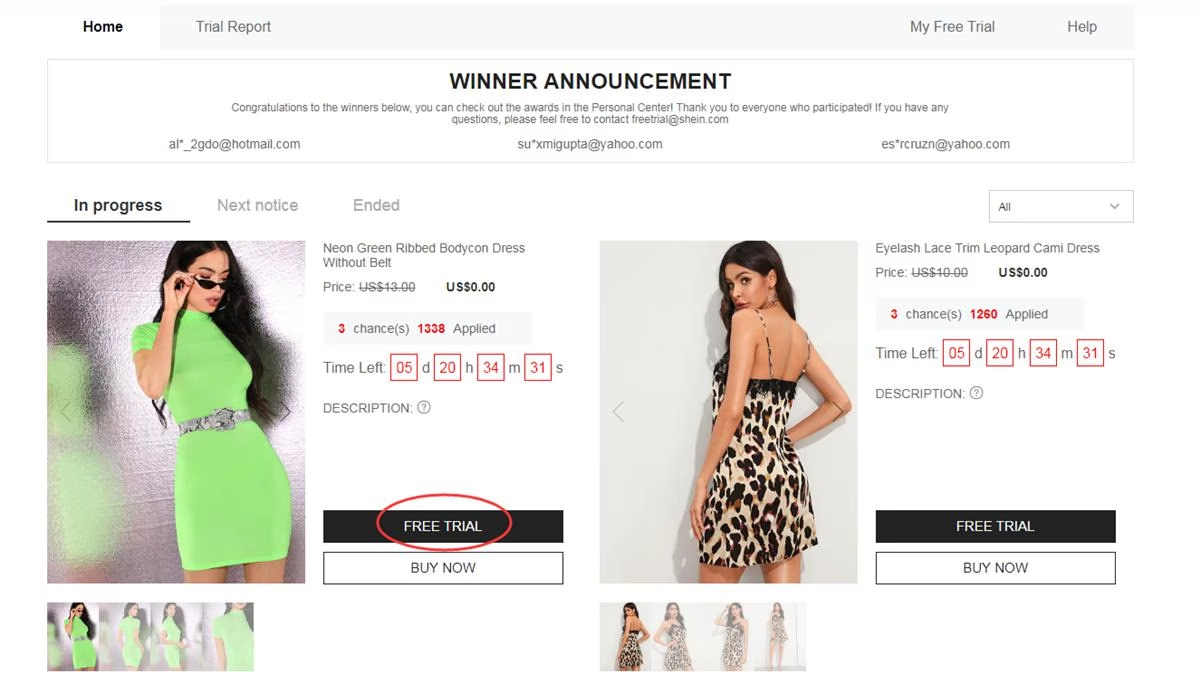
Visual guide to accessing the trial portal (reference illustration)
2Request up to 3 items per week
Members receive 3 weekly submission attempts. Unused entries do not roll over into the following cycle.
When you locate an item you wish to evaluate:
- Click on Free Trial under the item
- Select your accurate sizing
- Verify a delivery address matching the regional site location you are browsing
- Press Submit
Crucial detail: If your shipping country differs from the portal’s region, your request can be invalidated instantly. Recheck this parameter before confirming.
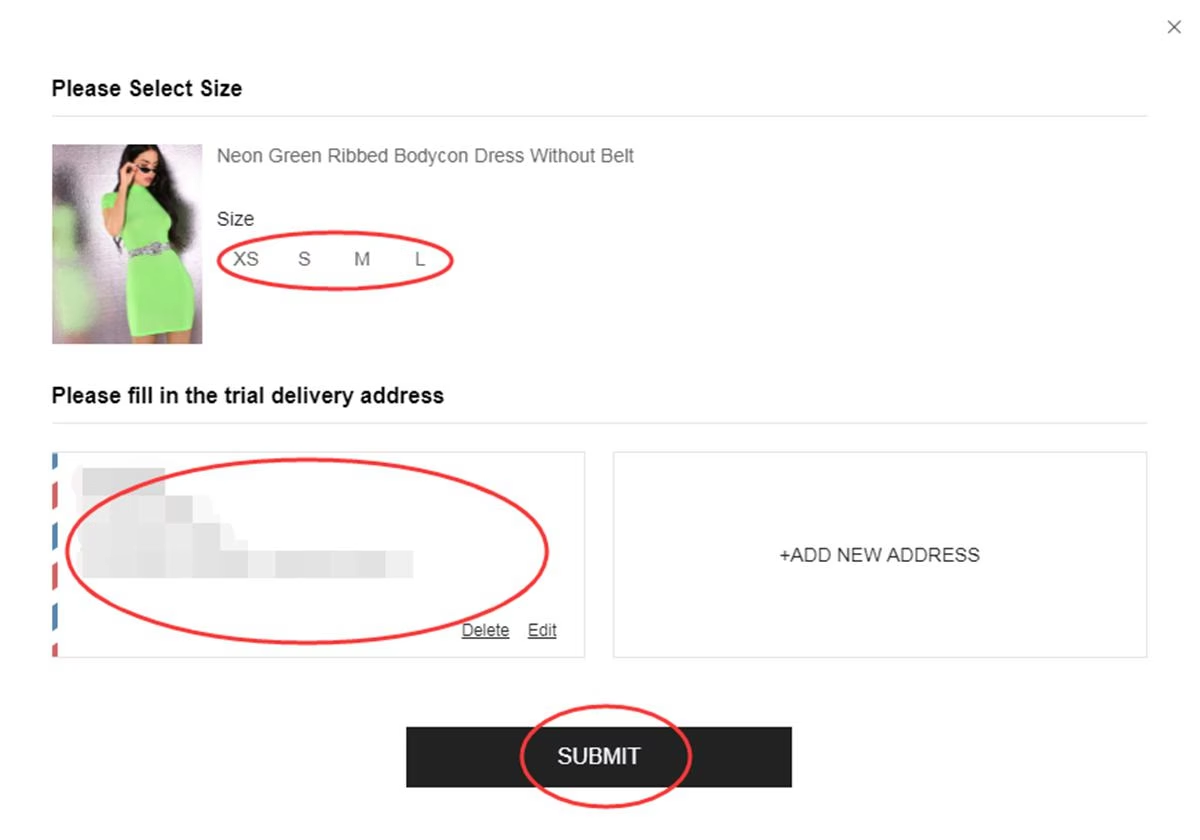
Size and address confirmation step (help flow illustration)
3Monitor progress in My Free Trial
Reviewing entries typically requires around one week. Visit My Free Trial / Application History to track your status:
- Approved — your account was chosen. A zero-cost dispatch order is generated for fulfillment.
- Failed — the submission was not selected. You may apply for alternative products in upcoming cycles.
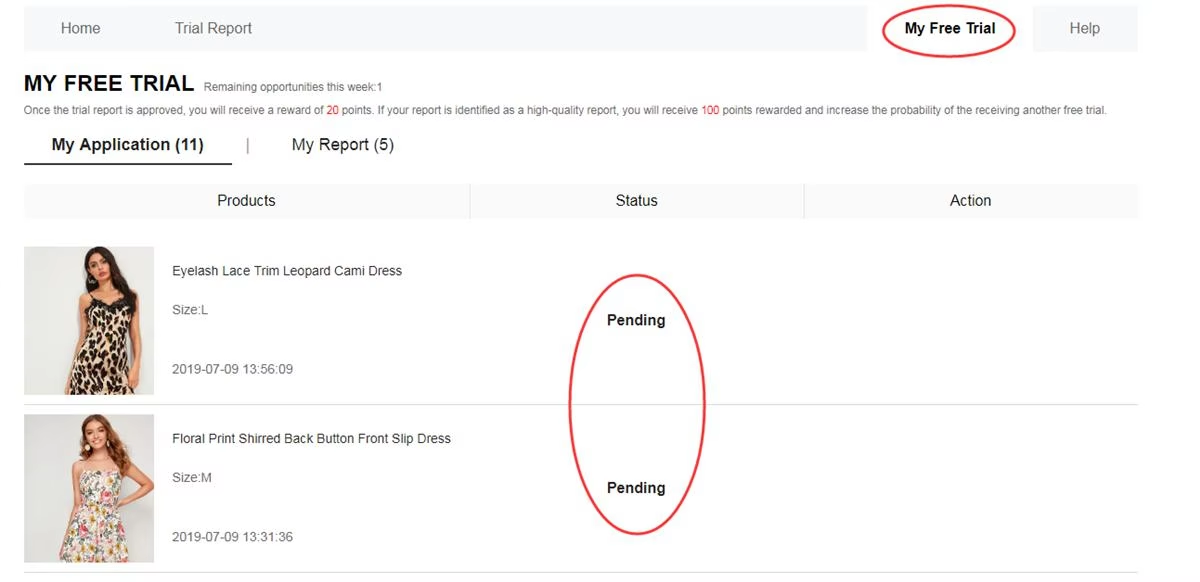
Application status tracking dashboard
4Evaluate the item and upload feedback
If chosen and upon receiving the shipment, test the piece while assessing manufacturing quality, styling, fit, material, and stitching.
Next, post a comprehensive review through your dashboard — ideally within 10 days of package arrival. Track submissions via My Report.
Elements that improve evaluation quality:
- Balanced observations regarding strengths and weaknesses
- High-resolution images — full-length views paired with close-ups of details
- Specific commentary regarding sizing accuracy, fabric feel, and wearability
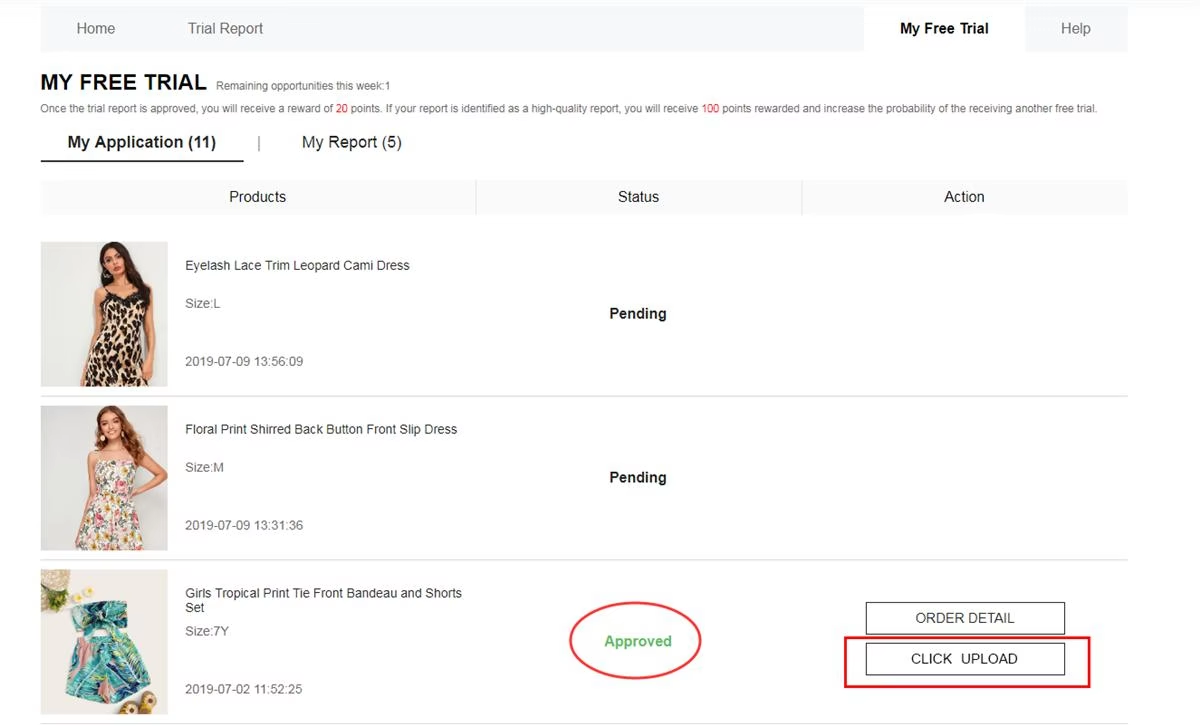
Feedback submission interface (reference visual)
Reward points: An accepted assessment may yield approximately 20 points. A high-grade Quality Report can grant up to 100 additional points.
In the event a first submission is declined, user guidelines typically allow one opportunity to adjust and resubmit the feedback.
Key program conditions
• Limit of 3 submissions weekly (allowances reset and do not carry over)
• Profile shipping address must match the regional platform in use
• Standard delivery cost is absorbed; import duties may apply based on local regulations
• Aim to publish the evaluation report within 10 days post-delivery
• Fraudulent activity or duplicate accounts risk permanent program suspension
• Failing to upload required feedback negatively impacts future eligibility chances
Pitfalls that lead to rejection
❌ Inaccurate sizing parameters or incomplete profile details
❌ Address registered in a country different from the platform domain
❌ Submitting entries late after quotas for popular items have closed
❌ Brief, non-descriptive reviews without original photos
❌ Exceeding the permitted review submission window
❌ Utilizing secondary accounts to attempt additional requests
Frequently asked questions
Is delivery free of charge?Under standard trial rules, shipping is covered. However, local customs fees remain the participant’s responsibility where applicable.
How many requests can I place?Members may request up to 3 trial items per weekly period. Remaining attempts expire at reset.
Do participants retain approved items?If selected, users generally keep the evaluated product once the required feedback report is submitted and accepted.
How long does the selection review take?Processing normally takes roughly 7 days. Monitor status updates under My Free Trial.
What occurs if a report is declined?You are generally provided one second attempt to revise the content and reupload photos according to formatting standards.
Is a large social media following required?No follower count is required. Selection algorithms prioritize profile consistency, sizing accuracy, and detailed review history.
That summarizes the core routine: open the trial portal → submit up to 3 requests weekly → wait for processing → if chosen, test the item and submit genuine feedback with photos. Ensure profile accuracy and apply promptly when new cycles launch.
Ready to explore available trial listings?
Check current products and submit requests through official channels. Approval is subject to selection criteria and is never guaranteed.
ACCESS THE TRIAL PORTAL NOWLink directs to the official Shein Free Trial interface.
Reference source: Shein Free Trial Help Center